Javascript Interactive Treeview Menu by Deluxe-Tree.com
Javascript Interactive Treeview Menu


Buy Now!  Free Trial Download

Menu Screenshots Javascript Interactive Treeview Menu

Javascript Interactive Treeview Menu Tree Drop Menu Slide

Features Javascript Interactive Treeview Menu

High Performance
  • AJAX menu loading - loads web menu data from the server "on-the-fly".
  • Commonly loads quicker than other html page elements
  • Runs well with an unlimited number of submenus and items
Unrivalled Features
  • Scrollable, dragable, floating
  • Unique Java Script API for altering menu "on-the-fly", without page reloading
  • AJAX technology - loads menu data from the server "on-fly and on-demand".
Pull Down Menu Tree Codes Javascript Interactive Treeview Menu
Easy Setup
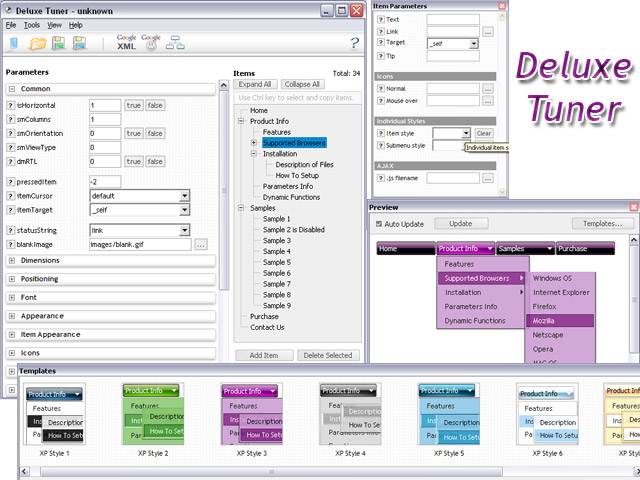
  • De Luxe Tuner. GUI interface to create your javascript interactive treeview menu menus easily and in no time
  • Sensible menu parameters for manual editing
Cost Effective
Compatibility              
  • Full cross-browser compatibility including IE, Netscape, Mozilla, Opera, Firefox, Konqueror and Safari on Windows, Mac OS and Linux
  • Menu can be populated from a database using ASP, PHP, etc.
  • Search engine friendly
  • Support for any doctypes
  • Fits for secure sites
Buy Now!  Free Trial Download

Javascript Tree Menu. Expandable Menu.

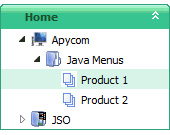
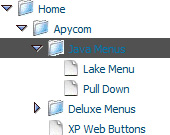
  • You can set default expanded/collapsed items and submenus.
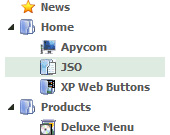
  • After clicking on menu item selected item becomes highlighted.
  • When the submenu is larger than the visible area of the page the submenu will be automatically decreased. To see all the submenu items you do not need to use scrollbars or something like that - just put your mouse to the bottom of a submenu and it will be automatically scrolled! You can also specify height and width for each separate submenu.
  • There is no need to write additional code on a server side to remember what items were expanded/collapsed. Javascript/DHTML Tree can save items state automatically!

Recent Questions Javascript Interactive Treeview Menu

Q: Where can I change the font size in the main deluxe menu's (i.e. Products, About, Contact Us)?
Using the deluxe tuner doesn't allow me change this font or the size, so the submenu's are bigger than the top.


A: You can also check Individual Item Styles. May be you set font sizefor the top items using Individual Item Styles.


Q: I was not able to resolve seeing FAQ, is the following one:

If an item of a menu is very large, as "please, select the color you prefer for the background of the image of the photo of your san", as can I put a break line to obtain the item written in two or more lines?, as, for example:

please, select the color you
prefer for the background of
the image of the photo of your son

only an item, anly a link, but three lines in the item.


A: Try to set this parameter:

  var noWrap=0;

If it is not suitable for you, try to use <br> tags in the item text, for example:

  var menuItems = [
["please, select the color you<br>prefer for the background
of<br>the image of the photo of your son",,,],
];


Q: The home page of our website uses java script dhtml. The error comes up when attempting to select a tab for the first time; subsequent selections are fine. The error is something about an object being null. Probably just need to modify a function to test for null, but can't read the .js file because its obfuscated.

A: You should set the following java script dhtml parameter.

  var bselectedSmItem=0;

There are no subitems in your menu.


Q: I need the flyout menus in the flash navigation bar to be able to be different widths.

A: Actually the submenu width is depend on the item's size.
You can alsowrap item's text.
Set   var noWrap=0; or use standard <br> tagsinside items' text:

 ["|very long text <br> in Item 14","", "", "", "", "", "3", "1", "", "", "", ],

You can set exact width for each submenu using IndividualSubmenu Styles.